Lists with Custom Markers
A guide to implementing lists with custom markers

I am a full stack software engineer with a strong focus in front-end in React.js. I aim to create beautiful and functional software that is both intuitive and enjoyable for users.
Introduction
Hey there, web enthusiasts! 🧙♂️ Ready to shake things up with your HTML lists? Move over, boring bullet points and mundane numbers—it's time to bring the fun of emojis to the forefront of your list designs. Whether for decorative flair or to enhance user engagement, let's dive into how you can use emojis to add personality and pizzazz to your lists!
Kicking Off with Custom Markers
First, let's swap out those standard markers with something more expressive. Here's how you can use the ::before pseudo-element to introduce emojis into your unordered and ordered lists:
ul {
    list-style-type: none;
}

li::before {
    content: "🚀 "
}
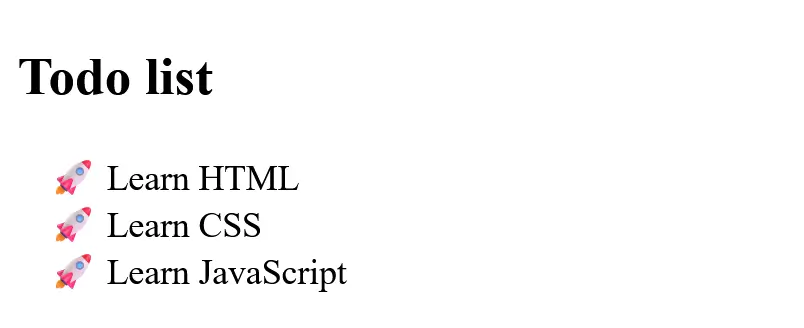
In this example, every list item in ul starts with a rocket, blasting off each point with style!
Conditional Marker Assignments
Using the nth-child CSS selector, we could apply different emojis based on certain conditions. Let's add an emoji that represents the mood on every day of the week.
ul {
    list-style-type: none;
}

li:nth-child(7n + 1)::before {
    content: "😊"; /* Monday - Happy */
}

li:nth-child(7n + 2)::before {
    content: "😔"; /* Tuesday - Sad */
}

li:nth-child(7n + 3)::before {
    content: "😄"; /* Wednesday - Joyful */
}

li:nth-child(7n + 4)::before {
    content: "😡"; /* Thursday - Angry */
}

li:nth-child(7n + 5)::before {
    content: "😅"; /* Friday - Relieved */
}

li:nth-child(7n + 6)::before {
    content: "😴"; /* Saturday - Sleepy */
}

li:nth-child(7n + 7)::before {
    content: "🎉"; /* Sunday - Celebratory */
}
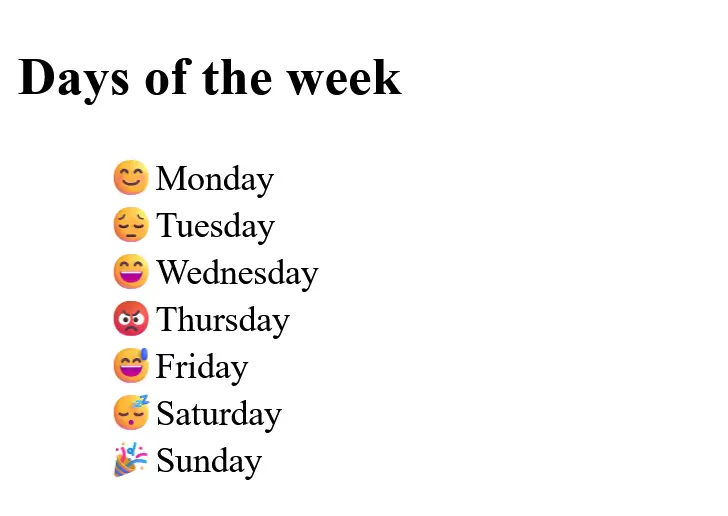
Here, each item in ul features a different facial expression, making the list more vibrant and playful.
Conclusion
Congratulations! You've just transformed your standard lists into engaging, fun-filled displays. Emojis not only add color and emotion to your lists but also make the content more relatable and enjoyable for your audience. Remember, the key to effective web design is not just about presenting information but doing so in a way that resonates with your users.
Why stop here? Experiment with various emojis and configurations to find the perfect match for your site's personality and theme. 🚀


